JacobDarling
I'm New Here
Hi All,
I read a lot on here, but am posting for the first time hoping for some help with my new-ish to me RV-12iS, with the Dynon Avionics system.
Long Story hopefully short: While the engine is off, the trim control behaves normally, to include detecting a "stuck switch" condition in the Dynon system if I hold down a control button for 4 or more seconds. However, when the engine is running, the trim will occasionally have a runaway in the "up" direction until it hits the limit, and even has gotten stuck in that condition without being able to apply trim down. Then, it will mysteriously go away and behave normally again. When it does this, no "stuck switch" indication is present on the Dynon display, which, I suspect is due to the input being intermittently shorted as the plane vibrates, and not actually constantly shorted. I can't seem to find the source of the short, though.
Obviously, in these planes, the pilot can always physically overcome the trim, but it isn't the best thing to have happen while flying, obviously...
What I have done to debug so far:
Something else? I appreciate everyone's time and help!
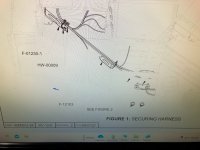
Link to the appropriate schematic, for convenience: https://www.vansaircraft.com/wp-content/uploads/2022/10/WH-00133-1.pdf
I read a lot on here, but am posting for the first time hoping for some help with my new-ish to me RV-12iS, with the Dynon Avionics system.
Long Story hopefully short: While the engine is off, the trim control behaves normally, to include detecting a "stuck switch" condition in the Dynon system if I hold down a control button for 4 or more seconds. However, when the engine is running, the trim will occasionally have a runaway in the "up" direction until it hits the limit, and even has gotten stuck in that condition without being able to apply trim down. Then, it will mysteriously go away and behave normally again. When it does this, no "stuck switch" indication is present on the Dynon display, which, I suspect is due to the input being intermittently shorted as the plane vibrates, and not actually constantly shorted. I can't seem to find the source of the short, though.
Obviously, in these planes, the pilot can always physically overcome the trim, but it isn't the best thing to have happen while flying, obviously...
What I have done to debug so far:
- Verified the circuits visually, and I don't see any chaffed/problematic wires anywhere in the circuits attached to pins 3-6 (the Pilot and Co-Pilot trim control inputs that get grounded to move the trim) on the D-Sub connected to the Dynon AP module.
- Sent the AP module back to Dynon, where they bench tested and refurbished it out of caution (for free, even out of warranty...I can't say enough good things about Dynon!). Re-installed, no effect.
- Re-verified the circuits visually, as well as with a voltmeter, to ensure pins 3-6 were being grounded correctly (and open to ground correctly), based on the control buttons.
- Used the test controls on the SkyView to move the trim motor, verifying it is functioning properly.
- Contacted Dynon, again, as I didn't know what else could be the problem... They sent me a new AP module, on loan, to replace for a test. Problem is still present. Again, Dynon's customer service is quite literally second-to-none.
- At this point, I started to suspect the Arduino in the power module had gone "nuts", causing intermittent grounding on the trim control wires. In order to isolate the power module, I removed the 50 pin D-Sub from the back of the power module, and at this point, I think I got a bit "lucky" in that I still had the ohmmeter on continuity mode between the trim up control wire and ground, and as I was physically pulling the plug off the power module, I heard a few distinct, short, sporadic "beeps" indicating the wire was being grounded! I could then gently move/shake the 50 pin connector and occasionally get the beeps to occur, indicating the short was present. For clarity, the AP module and power module were disconnected as I was doing this, so I believe that absolves the modules themselves from causing the issue.
- I removed the backshell from the 50 pin connector, verified pins 30, 31, 42, and 43 were well seated well in the connector, and that there were no frayed wires, etc., present. I did think I felt one of the pins seat a bit tighter when I pushed on it, but I am not 100% confident that is true, and not just in my head.
- I more carefully inspected the wires behind the 50 pin connector for any issues...they all seemed fine.
- I re-installed the backshell on the 50 pin connector, and I could no longer get the short to occur (no ohmmeter beeps as I moved and shook the connector!), so I thought I had the issue fixed...
- ...until the next flight. It still has the issue. We found it on climb out after takeoff, where it actuated in the up direction a bit on its own. We got the trim re-centered, and pulled the fuse to continue the flight.
- Replace the 50 pin connector. This seems like a big PITA, but doable. Has anyone had a faulty D-Sub where the connector itself has a pin/socket that shorts to ground?
- Remove wires C6327, C6326, C6324, and C6325 from the harness entirely, as they are only present because they are needed if the plane does not have the AP module. This would also allow the AP module to appropriately discern whether the pilot or co-pilot is commanding the trim, and allow the pilot to override the co-pilot if needed (which it won't be, but would separate the circuits).
Something else? I appreciate everyone's time and help!
Link to the appropriate schematic, for convenience: https://www.vansaircraft.com/wp-content/uploads/2022/10/WH-00133-1.pdf
 .
.