


Van's Air Force

The definitive Van's Aircraft support community! Buying, building or flying an RV? Join our exclusive family of mentors and enthusiasts!

The dreaded yellow airplane returns

Dugaru

Well Known Member
Sponsor
Friend
Almost exactly a year since it happened the last time, and in almost exactly the same geographic location, every last GPS in my airplane (and there are a lot) decided to stop talking to the satellites. The 430W enunciated that I was in dead reckoning mode, and the little airplane turned yellow.

I “solved” this problem last time by replacing my GA 35 antenna, which has a known failure mode in which it jams other GPSs. Didn’t have another issue until now.

I figure either (1) my new GA 35 now has the same fault, (2) a different GPS antenna is pulling the same stunt, or (3) the GA 35 wasn’t the original culprit, and the same gremlin just waited a year to return. If the latter, I will apologize for defaming my GA 35. 🤣

Am I scoping this correctly? Am I correct that I basically have to be dealing with a rogue powered GPS antenna?

Relevant GPS gear: I have a Sentry, a G5, a 430W connected to a GA35 on the fuselage behind the canopy, a GRT Horizon EX with a puck antenna on the glareshield, an iPhone with GPS, and an iPad without. I first noticed the Sentry die, but it’s possible the Horizon went first (its data source was the 430W at the time). The problem was intermittent, and the 430W (but not the Sentry or EX) was able to find satellites several times.

Didn’t have time to troubleshoot in the air, as I suddenly needed to navigate quite near the Philly Bravo the old school way. That was an interesting exercise. Key discoveries (a) airports remain great landmarks, just like when I was training for the private with no GPS back in the day, and (2) when all the GPSs urp, flip pages on the various gadgets so you’re not looking at any moving map out of habit. They are surprisingly distracting when they have no position info! 🤣
 
This SHOULD be outdated, but find and move every device voltage adapter in the plane to a car and see if you can replicate it. Hard wired or not.

A decade back I had a USB adapter that was a lovely GPS jammer.

I would say this is equal chance to two GA-35s going bad, unless one aged out and the replacement went via infant mortality
 
Last edited:
Everyone presumably enjoyed the Northern Light show in the lower 48 over the past few days.

What is maybe less appreciated is that the same severe geomagnetic storm and unusual solar activity that caused the spectacular and rare Northern Light show also can disrupt gps navigation, causing it to be unreliable or inoperable. The solar activity is still going on to a lesser extent, but nonetheless more than normal.

There has been a specific warning about this and gps outage possibility over the past few days.


Also check any notams about gps service disruptions. It happens in my area from time to time due to military stuff.

Not saying this is your problem here, but it is something to consider before ripping out antennas and hardware.

In any case, not fun.
 
Everyone presumably enjoyed the Northern Light show in the lower 48 over the past few days.

What is maybe less appreciated is that the same severe geomagnetic storm and unusual solar activity that caused the spectacular and rare Northern Light show also can disrupt gps navigation, causing it to be unreliable or inoperable. The solar activity is still going on to a lesser extent, but nonetheless more than normal.
This, for sure. I flew quite a bit yesterday (northern Minnesota) and had no GPS problems on any of the multiple GPS devices that I fly or drive with, but no question that an intense geomagnetic storm such as we've been having can screw up the GPS system and maybe it can vary by time of day and location. I probably wouldn't do anything about it unless I was still having a GPS problem when solar activity settles down a bit. We see the aurora borealis fairly often up here but this last storm had them visible as far south as Florida.
 
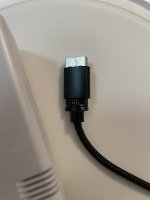
Discovered the USB power cord for my Stratus was damaged. Wondering if this could be the culprit. The Stratus it was attached to was the first device to lose GPS lock, and as Moosepileit notes, rogue USB charging devices can be effective GPS jammers. We shall see!

IMG_6844.jpeg
 
Does this occur intermittently? If so, does it occur repeatedly throughout the flight?
Good question. As I recall it:

1. GPS signal from Sentry to iPad was lost.
2. GPS light on Sentry was red.
3. Rebooted the Sentry, no joy.
4. Several minutes (?) later, 430W annunciated lost GPS, entered DR mode
5. Switched my GRT EFIS, which had been getting data from the 430W, to its second GPS (it has its own puck antenna) - no signal there either
6. iPhone had no GPS lock
7. Over the next 30 minutes, the 430W occasionally acquired a lock, kept that for a while, then lost it again.
8. iPhone reacquired once for a few minutes.

Haven’t been able to troubleshoot since, but I brought my Sentry with me and just noted the damaged cable. This is now my lead suspect, but it’s just a theory, and I’m open to ideas!!
 
So - A couple of things:
1. When you replaced the GA35 antenna, did you purchase a "new" antenna or use a "used" older but operable antenna? My understanding is that Garmin fixed the GA35 failure turning it into a jammer a very long time ago - Maybe I'm wrong but if you installed a new production GA35 then jamming should not be an issue.
2. The mention of a USB adapter being a jammer is directed toward a device that connects directly to your 12vdc bus and has USB female outlet which you plug cords, like the Stratus, into.... I do not believe he was talking about a cord & USB male connector.
3. Your issue should be easily replicated on the ground with the aircraft sitting on the ramp, no need for engine running. Try individual GPS's one at a time - Most GPS's including the 430 provide a page that shows the GPS satellites it's receiving, their strength etc - this should give you invaluable information immediately.
4. If you get good reception on the 430, then add other GPS receiver to see if performance degrades, add the USB power adapter to see if performance degrades.
Hope this helps
 
My 496 went out yesterday with red Xs. I rebooted and it came back on line. Probably just a glitch, but it's never happened before.
 
So - A couple of things:
1. When you replaced the GA35 antenna, did you purchase a "new" antenna or use a "used" older but operable antenna? My understanding is that Garmin fixed the GA35 failure turning it into a jammer a very long time ago - Maybe I'm wrong but if you installed a new production GA35 then jamming should not be an issue.
2. The mention of a USB adapter being a jammer is directed toward a device that connects directly to your 12vdc bus and has USB female outlet which you plug cords, like the Stratus, into.... I do not believe he was talking about a cord & USB male connector.
3. Your issue should be easily replicated on the ground with the aircraft sitting on the ramp, no need for engine running. Try individual GPS's one at a time - Most GPS's including the 430 provide a page that shows the GPS satellites it's receiving, their strength etc - this should give you invaluable information immediately.
4. If you get good reception on the 430, then add other GPS receiver to see if performance degrades, add the USB power adapter to see if performance degrades.
Hope this helps
Many thanks for the help. It was a new GA 35 if memory serves, so I’d agree it’s not high on the suspect list. Good idea to use the 430W as a diagnostic tool (assuming it’s not the problem), I will definitely do that.

From what I’ve read, a damaged cable can emit sufficient interference to jam a GPS, and it can also damage the device it’s connected to, resulting in the same effect.

My panel charging port, though well reviewed for quality, is NOT one of the expensive aviation ones, and you’re certainly right that it could be the problem. I previously thought the aviation grade ports were overpriced and overkill, but after a little while wondering which airport I was passing over, I’m coming around. It may be that my special purpose in life is to serve as a cautionary tale for others. 🤣
 
Many thanks for the help. It was a new GA 35 if memory serves, so I’d agree it’s not high on the suspect list. Good idea to use the 430W as a diagnostic tool (assuming it’s not the problem), I will definitely do that.

From what I’ve read, a damaged cable can emit sufficient interference to jam a GPS, and it can also damage the device it’s connected to, resulting in the same effect.
Here are my thoughts re a cable: A cable (new, old, poorly constructed or damaged) can not, in it's self, create interference however a bad or damaged cable (ie broken shielding) can allow disruptive interference to escape thus contaminating the RF environment locally which can cause other susceptible devices to perform poorly or be interfered with. So - if your USB adapter is making lots of "noise" but the shields were "keeping it constrained" such that things worked Ok... and then the cable attached to the USB adapter experienced a failure of it's shield which allowed interference to escape.... Could explain the failure mode.
 
So - if your USB adapter is making lots of "noise" but the shields were "keeping it constrained" such that things worked Ok... and then the cable attached to the USB adapter experienced a failure of it's shield which allowed interference to escape.... Could explain the failure mode.
Got it - that’s very helpful, many thanks. Assuming I’ve found the culprit, it’s presumably time for an upgraded port. My installer actually installed a real one, but then I had to get cute and replace it. 🤣
 
Got it - that’s very helpful, many thanks. Assuming I’ve found the culprit, it’s presumably time for an upgraded port. My installer actually installed a real one, but then I had to get cute and replace it. 🤣
One other remote possibility could be noise from a cheap USB Backup Battery.

10+ years ago I was flying home with my new to me just purchased Grumman, with an old school 6 pack instrument panel and a 1 year old iPad with built in GPS receiver and Fore Flight. About midway through the first full day of flying, I plugged the iPad into a cheap USB battery as the built in iPad battery charge was getting low. The iPad and Fore Flight continued to work, but my Comm radio suddenly became very noisy such that I couldn't hear ATC over the noise. It didn't occur to me that the portable battery could be the problem until I was back on the ground trying to find the problem the next morning. With the iPad fully charged and everything turned on, the radio was once again working. But as soon as I plugged in the portable battery, the radio noise returned, and I realized that was the culprit. In this case, the RFI was in the aviation bands, but I expect that a defective portable battery could also emit noise on the GPS frequencies and result in jamming.

Just a thought.
 
A update now that I’m back from traveling and have been able to do some tinkering and investigating.

The USB port (combined with a broken cable) was apparently NOT the problem. Replaced the port with a Blue Sea, and even with nothing plugged into that I’m still getting intermittent loss of all GPS signal. The intermittent nature makes it tough to troubleshoot.

I’ve removed an LED strip that was installed as glare shield lighting. I figured cheap LEDs are a known GPS jammer, and the setup wasn’t very satisfactory anyway. We shall see.
 
To aid in troubleshooting GPS jamming in the airplane, one could use laptop with a < $40 USB SDR dongle like this one and an appropriate antenna running a free SDR program like SDR# or SDR Console tuned to 1575.42 MHz to monitor the RF environment while turning things on and off until you see the signal level jump up when something comes on.

You could also use a portable GPS receiver like the ones we carry around in our pockets to take pictures with, send and receive text messages, check our portfolios, and occasionally even make a phone call. An app I like for my Android phone is GPS Status.
 
Last edited:
To aid in troubleshooting GPS jamming in the airplane, one could use laptop with a < $40 USB SDR dongle like this one and an appropriate antenna running a free SDR program like SDR# or SDR Console tuned to 1575.42 MHz to monitor the RF environment while turning things on and off until you see the signal level jump up when something comes on.

You could also use a portable GPS receiver like the ones we carry around in our pockets to take pictures with, send and receive text messages, check our portfolios, and occasionally even make a phone call. An app I like for my Android phone is GPS Status.
Great ideas, many thanks!!
 
If it's on-going as an issue, what I'd do would be to reduce variables. Leave everything you can out of the equation, by not flying with them in the first place or removing them from the rack, or if that's not possible, turn them off. Then add back ONE item and see if it fails. If not, remove/turn off and add back a different item. Repeat. If they all work, then it's combinatorics time...start with pairs of items. Work up from there.

From what I see, you've got a Sentry, an iPad, a 430W, a GRT, an iPhone, some sort of USB connector, plus comm panels and radios. That's a LOT of things that could be causing this...
 
RV7A Flyer makes a good point, regarding combinatorics. Sometimes signals from two different sources mix and the mixer product is what causes the interference. The mixer can be as simple as a corroded metal joint. And it could happen that one (or more) of the sources is outside the airplane, e.g. a nearby TV station or (less likely) cell tower and the other is something on the airplane. So think about where the GPS failure happens. If it happens in one local area, it may be something external or a combination of external and internal. If it happens anywhere and everywhere, it's probably equipment on the plane. Or it could be DoD or someone else jamming or spoofing GPS. Check GPS NOTAMs.
 
Many thanks to everyone for the suggestions.

Pretty sure I’ve ruled out external jamming, as it’s happened at many different places (and I’ve checked with ATC on a few occasions, who reported no known problems).

I’ve written up a troubleshooting protocol along the lines of what RV7A Flyer recommends. Step one is absolutely to sterilize the cockpit as much as possible.

I’m somewhat hopeful that the chintzy LED dash lights were the problem. Lots of info from the US Coast Guard about LEDs messing up various GPS gadgets. Interestingly, they suggest using a handheld VHF radio as a detector - dialing the squelch down to just barely quiet static, then seeing if any LEDs “break squelch” when turned on. Going to bench test the LEDs to see what happens.

I also got an iPhone GPS signal app that may prove useful.

Should be interesting!
 
Many thanks to everyone for the suggestions.

Pretty sure I’ve ruled out external jamming, as it’s happened at many different places (and I’ve checked with ATC on a few occasions, who reported no known problems).

I’ve written up a troubleshooting protocol along the lines of what RV7A Flyer recommends. Step one is absolutely to sterilize the cockpit as much as possible.

I’m somewhat hopeful that the chintzy LED dash lights were the problem. Lots of info from the US Coast Guard about LEDs messing up various GPS gadgets. Interestingly, they suggest using a handheld VHF radio as a detector - dialing the squelch down to just barely quiet static, then seeing if any LEDs “break squelch” when turned on. Going to bench test the LEDs to see what happens.

I also got an iPhone GPS signal app that may prove useful.

Should be interesting!
Back when I was building in the garage, I decided to test some cheap LEDs on the bench. I just happened to have a portable FM radio playing. As I turned up the voltage to where the regulator kicked in, the music vanished, replaced by static. I couldn’t believe how much RF the cheap regulator was emitting.
 
Many thanks to everyone for the suggestions.

Pretty sure I’ve ruled out external jamming, as it’s happened at many different places (and I’ve checked with ATC on a few occasions, who reported no known problems).

I’ve written up a troubleshooting protocol along the lines of what RV7A Flyer recommends. Step one is absolutely to sterilize the cockpit as much as possible.

I’m somewhat hopeful that the chintzy LED dash lights were the problem. Lots of info from the US Coast Guard about LEDs messing up various GPS gadgets. Interestingly, they suggest using a handheld VHF radio as a detector - dialing the squelch down to just barely quiet static, then seeing if any LEDs “break squelch” when turned on. Going to bench test the LEDs to see what happens.

I also got an iPhone GPS signal app that may prove useful.

Should be interesting!
The key is to be systematic. Step by step, control as much as possible, and change as little as possible at each step in the process. Don't get excited and think "AHA! THAT'S IT" and jump to conclusions.

Can you share your plan with us?
 
The key is to be systematic. Step by step, control as much as possible, and change as little as possible at each step in the process. Don't get excited and think "AHA! THAT'S IT" and jump to conclusions.

Can you share your plan with us?
Freaking work has been cutting into my airplane tinkering time!

Here’s the update:

I was able to get discernible noise on my VHF radio when I powered up the LED lights on the workbench. But no apparent effect visible on my iPhone’s GPS signal app. So we’ll see.

Here’s my troubleshooting plan - would love any suggestions for improvement of this:

Fly the aircraft day VFR only for now. Have a backup navigation plan, based on VORs and pilotage, to avoid Philly airspace etc. when GPS dies. (It occurs to me that I should always have had this. 🤣)

Remove all electronic gadgets that are not permanently installed (no power pack batteries, cables, handheld radios, etc.) except iPhone and Sentry. Operate those on internal batteries only—nothing is plugged in to port on panel.

Strobe on. Nav lights weren’t on during previous incidents, so I’m excluding those from the test and will leave them off. Panel lights are on dimmers (which could be balky?) so I’ll start with those on full. Can’t remember if I was using landing/taxi lights during previous incidents, but if so they would have been on flash, so they will be turned on in flashing mode.

When GPS loses signal:

1. If flying, query ATC to confirm no other reports of signal loss.

2. Note which GPSs are not working, note order in which they died (if known)

3. Tune 430W to GPS signal page and note display

4. Open iPhone GPS signal app and note findings

5. If flying, land somewhere easy and find a spot on the ramp.

6. With engine still running, turn off gadgets in the following order. Pause 1 minute after each, while monitoring 430W signal page and iPhone GPS app for improvement of GPS signal:

- dimmer switches to min (panel lights off)
- landing/taxi lights
- sentry
- audio panel
- SL 40
- transponder
- G5
- Garmin autopilot (pull breaker)
- 430W - continue to monitor GPS signal on iPhone
- GRT EFIS (requires avionics switch to be off)
- magneto - (left) off
- magneto back on
- Lightspeed ignition (right) - switch off and pull breaker
- alternator - switch off and pull breaker

7. Shut down and, if no finding so far, curse and scratch head, and wonder if a portable gadget was at fault.

I suppose one confounding factor is that the problem is intermittent, and thus GPS signal may return while I’m troubleshooting but before I get to the actual culprit….
 
Strobe on. Nav lights weren’t on during previous incidents, so I’m excluding those from the test and will leave them off. Panel lights are on dimmers (which could be balky?)
Many/some of those are PWM and can cause noise if they have poor designs
 
3. Tune 430W to GPS signal page and note display
That will show only which satellites it has found and is receiving data from. Very possible, likely even, that the issue is not loss of reception, but instead corruption of the data received, forcing an error routine to report lost integrity over LOS. Speculate that it may still show sat's on that page and signal strengthg will be good on your app.
 
That will show only which satellites it has found and is receiving data from. Very possible, likely even, that the issue is not loss of reception, but instead corruption of the data received, forcing an error routine to report lost integrity over LOS. Speculate that it may still show sat's on that page and signal strengthg will be good on your app.
If this is only happening on one of many GPS devices, there is a chance that there are issues on that device's ant or cable. This could degrade the signal just enough to work fine in optimal conditions, but start getting bit or byte errors when it has to deal with some noise from one of your appliances. Because the signal to the box is marginal, it quickly starts corrupting the data in cases that a stronger signal would have no issues.

Food for thought, as all of these suspect sources are not uncommon, yet your issue is. This theory is supported by all of the other receivers never having issues, assuming I understood that correctly.
 
Food for thought, as all of these suspect sources are not uncommon, yet your issue is. This theory is supported by all of the other receivers never having issues, assuming I understood that correctly
I was likely unclear - when this has happened, literally every GPS in the plane goes kaput. And there are several! 430W, sentry, iPhone, GRT EFIS are all rendered inop.
 
I was likely unclear - when this has happened, literally every GPS in the plane goes kaput. And there are several! 430W, sentry, iPhone, GRT EFIS are all rendered inop.
Well that kills most of my ideas. Still an uncommon issue, so whatever it is generating the noise must be pretty significant.
 
Well that kills most of my ideas. Still an uncommon issue, so whatever it is generating the noise must be pretty significant.
What kind of ELT do you have? I had an issue where I would get squealing on the COM radio at about 3-400 AGL landing at the same airport/runway. Finally found a known problem with the old ACK 121 ELTs. It would receive the LOC or GS signal and somehow broadcast it out of its ant with a broad freq range. Weird but true.
 
What kind of ELT do you have? I had an issue where I would get squealing on the COM radio at about 3-400 AGL landing at the same airport/runway. Finally found a known problem with the old ACK 121 ELTs. It would receive the LOC or GS signal and somehow broadcast it out of its ant with a broad freq range. Weird but true.
ACK E04. Suspected it right away because it’s apparently self-aware and has a bad attitude, giving me no end of trouble, but the last time this happened (on the ground) it was switched off at the unit.
 
Charging system maybe? I’m going to look around under the hood.

Alternator seems unlikely to me. Just too many people with all sorts of alternator issues and have never heard a report of failed GPS reception during the events. This is such an uncommon issue that the source is likely just as uncommon. Also think you are looking for radiated noise vs noise thrown on the ground plane or power bus, given that it happens on ipad which is not connected to the grd or elec bus. If I looked anyehere in the engine, it would be the ignition system. When things go a foul on the high tension side, the radiated noise is off the charts bad and creates all sorts of havoc.
 
ACK E04. Suspected it right away because it’s apparently self-aware and has a bad attitude, giving me no end of trouble, but the last time this happened (on the ground) it was switched off at the unit.
In my case, it happened even powered off. Some weird design on the board where a signal is received and somehow jumps somewhere on the board and radiates out. Some kind od design flaw in the transmitter unit. Believe it was limited to the older 121 units only.
 
In my case, it happened even powered off. Some weird design on the board where a signal is received and somehow jumps somewhere on the board and radiates out. Some kind od design flaw in the transmitter unit. Believe it was limited to the older 121 units only.
How on earth did you track that down?!?
 
Didn’t have time to troubleshoot in the air, as I suddenly needed to navigate quite near the Philly Bravo the old school way. That was an interesting exercise. Key discoveries (a) airports remain great landmarks, just like when I was training for the private with no GPS back in the day, and (2) when all the GPSs urp, flip pages on the various gadgets so you’re not looking at any moving map out of habit. They are surprisingly distracting when they have no position info! 🤣
saw a video of someone losing all GPS devices caused by some kind of audio gizmo he was using to record the audio track of the flight.

I hope the Mode C transponder was still working. Mode C needs only the pressure altitude source and would give an option to contact ATC for vectors to the right airport.
 
How on earth did you track that down?!?
Happened to find a really smart old timer in the avionics business that had figured it out. Apparently many an avionics tech had gone down that path thinking it was a different problem. NEVER would have figured that out on my own. I discoonected the ELT ant and problem disappeared, confirming the diagnosis.
 
Here’s the update (and thanks again to everyone offering suggestions so far).

Fired the airplane up for some ground troubleshooting. Four GPS receivers on the plane: (1) 430W with its own on/off switch, (2) GRT EFIS which is turned on/off with the avionics master, (3) Sentry running on its internal battery, not plugged into panel, and (4) iPhone.

Throughout the process, the iPhone never experienced any difficulty getting a GPS signal, and its GPS analysis app showed nothing interesting.

The other GPSs were a different story. My intermittent problem presented itself right away - the 430W took forever (like 9 minutes) to finally get a fix, the Sentry initially got a fix then showed a red light indicating no GPS fix, and the EFIS (set to use its own puck antenna rather than the 430W as a nav source) occasionally showed “no signal” and was never able to display anything on its moving map.

Ran through my procedure listed in an earlier post. Could not identify anything that affected the signal.

I then decided to use the Sentry rather than the iPhone as my final canary in the coal mine (since nothing seemed to affect the iPhone). Made a very interesting discovery: if I turned off all the installed avionics except the EFIS, the Sentry still couldn’t get a lock. But if I turned off the avionics master (thus turning off the EFIS), the Sentry promptly acquired a fix and showed a green GPS light. This phenomenon was repeatable, and it did not matter whether the engine was running or not.

Tentative conclusions:

- something interfering with GPS reception

- the interference is radiating (the Sentry was not connected in any way to the plane’s electronics)

- the Sentry is the gadget most sensitive to it, although the 430W and EEFIS are also having real problems,

- the offending item is switched on and off by the avionics master, and has nothing to do either the ignition or charging system.

I figure my problem is either the antenna attached to the EFIS, or… something else on the avionics bus. Not sure what something else might be. Is a battery capable of doing this? A balky dimmer? The mind boggles.

Next step: unplug GPS antenna from EFIS and observe effect, if any.

Very interested in alternative theories, flaws in my logic, or other suggestions!
 
The GRT efis itself has display and other power supplies, did you try shutting it off?
I confess I don’t know how to shut it off, other than via the avionics master. Are we talking about pulling fuses, or are there other power controls that I’m ignorant of? It’s a Horizon EX.
 
I agree with walt, but will go a little further. Obviously something on the avi master bus is radiating something objectionable. Sadly, i think you need to get under the panel and trace some wires. Need to find everything running on that bus and find away to be able to cut the power individually. Certainly could be the grt, but could also be a bunch of other things as well. I struggle to see the grt emitting a lot of noise without other symptoms, but that is just a guess. Faulty transponder or its ant or cable is more likely as it has a transmit amp and pumps out a lor of wattage.

Can’t say i am surprised the iPhone didn’t hiccup. I suspect it has little in the way of integrity checking, as who cares if your location if off 100’ on an iphone. Avionics makers can’t be that cavalier. That further confirms radiated noise somewhere in the marginal range.
 
Last edited:
This may help:
I had a similar problem - both my Garmin gtn750/g3x gps was intermittent as was my gps signal on my iPad/ Sentry. I thought my sentry was stand alone (isolated from my Garmin panel avionics) as i was running my iPad (foreflight) connected to the Sentry via wi-fi. I was thinking the gps problem must be an external issue w gps signal (too coincidental that both gps sources/systems would fail at the same time). Then I discovered that the iPad was taking its gps signal from the Garmin via Bluetooth - even though the iPad was connected to the sentry via wi-fi. I disabled the Bluetooth and was able to isolate the gps issue to the Garmin.
 
Sadly, i think you need to get under the panel and trace some wires. Need to find everything running on that bus and find away to be able to cut the power individually. Certainly could be the grt, but could also be a bunch of other things as well.
Understood. So one of my gadgets (e.g. the transponder) might be drawing power and putting out interference even when it’s been switched off via its own switch? My troubleshooting plan did not account for that fiendish possibility. 🤣 But I guess that’s basically what happened with your ELT situation, which still causes me to shudder when I think of how long it would have taken me to troubleshoot (i.e. forever).

Just pull the two db 25’s off the back.
Good idea, thanks. Better than my antenna removal plan, since it covers more possibilities.

Most installers power the efis thru a pullable CB or fuse.
I can now see the utility of that approach. 🤣 No pullable CB for mine, I’ll have to find the fuse. Actually it sounds like I might be spending some real quality time with my fuses.

I struggle to see the grt emitting a lot of noise without other symptoms, but that is just a guess.
Agree. This is why I gravitated toward the idea that the GRT’s own GPS antenna (which resides on my glareshield) might be the issue, as apparently such antennas are powered and are capable of acting as jammers. But I think you’re right that this is excessive target fixation at this point.

Then I discovered that the iPad was taking its gps signal from the Garmin via Bluetooth - even though the iPad was connected to the sentry via wi-fi.
I would literally never have figured that out. I think I’m safe here because I was determining the Sentry’s GPS status from the face of the Sentry.

Time to go panel spelunking. Again, thanks for all the suggestions. Can’t tell you how much I appreciate it.
 
Understood. So one of my gadgets (e.g. the transponder) might be drawing power and putting out interference even when it’s been switched off via its own switch? M
No, that wasn't my point. It sounds like you may not know exactly what is being powered off that bus. You need a way to to identify all the appliances and find a way to turn each one off. Appliance on off switch is fine. That ELT situation was a very strange and irregular scenario.

You could start by turning off all that you know about and if problem still exists, then go find the others.
 
Agree. This is why I gravitated toward the idea that the GRT’s own GPS antenna (which resides on my glareshield) might be the issue, as apparently such antennas are powered and are capable of acting as jammers. But I think you’re right that this is excessive target fixation at this point.
I believe that issue (one GPS ant jamming another) is only with active or powered GPS ant. Not sure, but speculate that the GRT is not powered.
 
It sounds like you may not know exactly what is being powered off that bus.
You are correct, I am the classic non-builder owner -- I definitely don’t!

You could start by turning off all that you know about and if problem still exists, then go find the others.
Makes sense, and I think that’s where I am now. With the engine and all the known gadgets switched off except for the GRT (which is on whenever the avionics master is on), I was still getting interference on the Sentry, which wasn’t plugged into anything and was running on its internal battery. When I switched off the avionics master switch, thus killing power to the GRT (and who knows what else...) the Sentry GPS fairly promptly came back to life.

So to complete the list of troubleshooting targets, I take it the question is what is getting switched off by the avionics master IN ADDITION TO the GRT.

My ignorance is considerable. Perhaps the avionics master also turns off the juice to:

-my GSA28 autopilot servos? Not sure if they get power when the G5/307 combo is already turned off. In any event, I can see if there’s any effect when I pull the autopilot CB.

-the two panel light dimmer switches?

-my PH flap motor? If I remember correctly, I think in my plane the avionics master has to be on in order to operate the flaps. I will confirm this recollection.

-headset jacks?

-usb port connected to GRT, with a thumb drive in it?

-other stuff?

Not sure, but speculate that the GRT is not powered.

I checked with GRT and they confirmed that the antenna is powered. But they also noted they have never heard of one going rogue. 🤣
 
Last edited:
Looks like the culprit has been identified!

Didn’t have time to panel dive to unplug the GRT GPS antenna, but when I shielded it with some aluminum foil the problem went away - then returned with a vengeance when I removed the foil.

 
Last edited:
Back
Top
