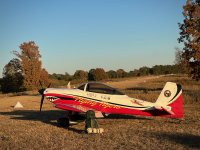
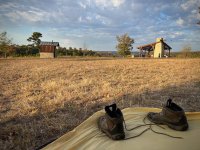
....getting this weekend thread started. Hope you have a wonderful one!
v/r,dr
v/r,dr




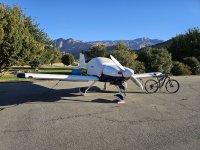
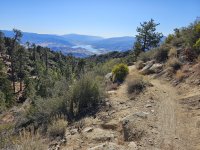


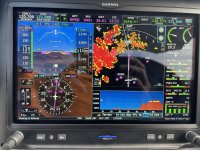
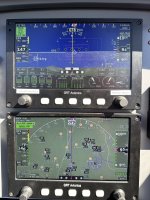
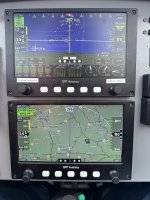
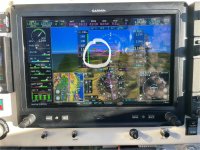 you where the plane will be in 30 seconds. So for a 500 fpm climb, the marker ( a green circle) goes on the first hash mark above horizon, or something like that. I have not figured out turn rate yet, but this is easy to see on HSI just below. Really makes manuevering by instruments easy because it keeps the instrument scan tightly grouped.
Yes!!!!! I’m a huge fan of pathways for SA and have been using them for years. As a matter of fact, I used them today in a 20M $$$ simulator. Sure does make hand flown approaches less complicated (at least for me). Especially when hand flown at MDA to the VDP on a LOC. “Just keep the frog’s butth@le in the square”. … may have offered that advice a few times.Continued ifr training.
Figured out how to use the pathway marker, or velocity vector on G3x. I really love it. Found out that it seems to tellView attachment 73205 you where the plane will be in 30 seconds. So for a 500 fpm climb, the marker ( a green circle) goes on the first hash mark above horizon, or something like that. I have not figured out turn rate yet, but this is easy to see on HSI just below. Really makes manuevering by instruments easy because it keeps the instrument scan tightly grouped.


So for a 500 fpm climb, the marker ( a green circle) goes on the first hash mark above horizon, or something like that.
Math teacher quote: one is not to wonder why, just invert and multiply.This'll blow your mind then: the hash marks above and below the horizon are in degrees, so for a 3º approach just keep the velocity vector on the 3º line and you'll be spot-on.
- mark

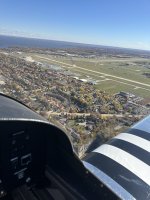



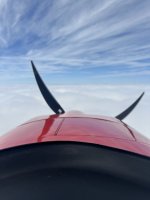
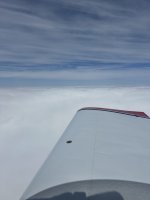

 ] approach and landing with my new wing-mounted 360 camera!