



Those of us who have pulled the trigger and purchased Garmin's latest and greatest might want to share their experiences with the AXIS system here. Many years ago, my father taught me how to fly in a J-3 Cub, an Aeronca Champ, and a Luscombe. Those panels weren't anything like what many of us fly behind these days, and some of the best learning experiences I've had in my transition to the all-glass cockpit have come from other pilots who openly share what they've learned. I'm very excited about the AXIS system, and from what I've already seen of it, there will be many, many hours of enjoyable flying to come with a fresh installation in my newly overhauled RV-8.
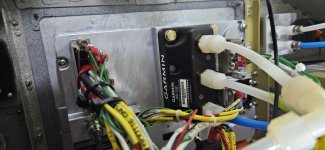
My installation comes on the heels of a newly installed G3X system. With only 30 hours on it, the GDU 460 got yanked, and I began the installation process of the AXIS in earnest. Using the checklist in the AXIS Installation Manual, I checked for fitment of the 116B behind the panel, then opened up a few backshells to begin modifying the harnesses. I had already created my new wiring diagrams, and I simply followed the directions and pinouts in the manual in execute the plan. Powers, grounds, and a new GSU 25 power-up system directly from the GDU were my first priority:
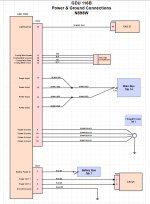
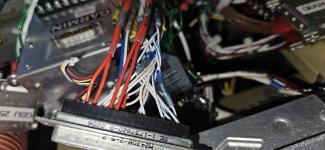
4 Power Leads to GDU 116B
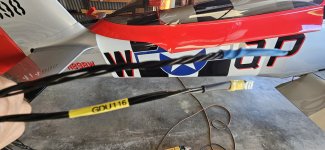
4-Lead Grounding Harness for GDU 116B
The GPS 175 required a new HSDB connection, so I opened up that backshell and wired it up.
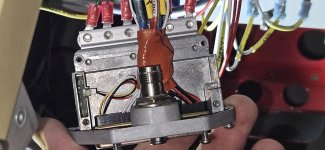
My original G3X installation carried the AHRS on the back on the GDU 460 and worked flawlessly. For the AXIS, the GDU orientation is moved counter-clockwise 90 degrees. So after all of my wiring was tethered and the continuity-power checks completed, I had to make a few adjustments to my plumbing behind the unit. For the most part, the installation came out fairly clean. All of my G3X harnesses had more than enough service slack to make the needed connections.
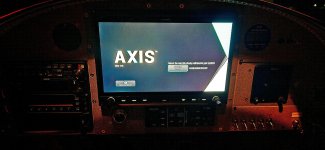
When it came time to throw the switch, I wasted no time peeling off the plastic and turning down the lights. That glass is sweeeet! Without even moving into the first steps of configuration, I can tell you that the definition of the display blows away anything I've seen before. The pictures here do it no justice at all. Just take my word for it: When somebody uses the term High Definition, this is most definitely it.
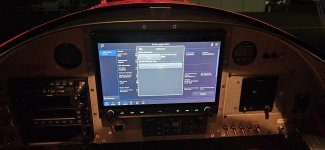
Next comes the long process of configuration. With my G3X configuration file and fuel calibrations saved, I'm still waiting for Garmin to release the first AXIS software update.
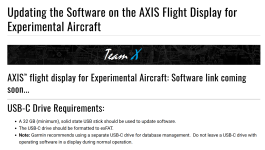
In the meantime, I can configure the system to interface with all of my previously installed LRUs with the exception of the G5; it, unfortunately, is also waiting for a software update (v8.70) before it will interface correctly with AXIS. Nevertheless, getting airborne and testing it out with a new W&B is getting very close. Until then, for those of us who are upgrading to AXIS from the G3X, I can happily report that the upgrade is truly a snap if you know what you're doing. Just follow the directions in the Installation Manual and you should be fine.
Best wishes, and thank you Garmin for taking my phone calls and answering my questions!
+Scott+
My installation comes on the heels of a newly installed G3X system. With only 30 hours on it, the GDU 460 got yanked, and I began the installation process of the AXIS in earnest. Using the checklist in the AXIS Installation Manual, I checked for fitment of the 116B behind the panel, then opened up a few backshells to begin modifying the harnesses. I had already created my new wiring diagrams, and I simply followed the directions and pinouts in the manual in execute the plan. Powers, grounds, and a new GSU 25 power-up system directly from the GDU were my first priority:
4 Power Leads to GDU 116B
4-Lead Grounding Harness for GDU 116B
In the meantime, I can configure the system to interface with all of my previously installed LRUs with the exception of the G5; it, unfortunately, is also waiting for a software update (v8.70) before it will interface correctly with AXIS. Nevertheless, getting airborne and testing it out with a new W&B is getting very close. Until then, for those of us who are upgrading to AXIS from the G3X, I can happily report that the upgrade is truly a snap if you know what you're doing. Just follow the directions in the Installation Manual and you should be fine.
Best wishes, and thank you Garmin for taking my phone calls and answering my questions!
+Scott+

