


Van's Air Force

The definitive Van's Aircraft support community! Buying, building or flying an RV? Join our exclusive family of mentors and enthusiasts!

Changing Tail# on a G3X VFR setup

mhailey

Member
Patron
I received my letter from the FAA allowing the Tail Number change that I had reserved. Everything was functioning correctly with the old tail number.

Does anyone know if there is anything else that needs to be changed in the G3X when you change your registration Tail# other than:
  1. Config mode
  2. Transponder
  3. Enter the new Tail# in the appropriate block.
  4. Save and reboot
This seems awful easy. Is there not something I'm missing.
Do I need to do something for the ADSB
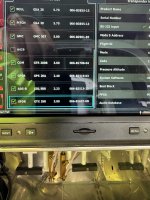
 
I received my letter from the FAA allowing the Tail Number change that I had reserved. Everything was functioning correctly with the old tail number.

Does anyone know if there is anything else that needs to be changed in the G3X when you change your registration Tail# other than:
  1. Config mode
  2. Transponder
  3. Enter the new Tail# in the appropriate block.
  4. Save and reboot
This seems awful easy. Is there not something I'm missing.
Do I need to do something for the ADSB
It depends. If you have a legacy transponder, like a GTX327 with a GDL82 ADSB-Out device, then yes.
 
I received my letter from the FAA allowing the Tail Number change that I had reserved. Everything was functioning correctly with the old tail number.

Does anyone know if there is anything else that needs to be changed in the G3X when you change your registration Tail# other than:
  1. Config mode
  2. Transponder
  3. Enter the new Tail# in the appropriate block.
  4. Save and reboot
This seems awful easy. Is there not something I'm missing.
Do I need to do something for the ADSB

Yes, your 4 step process shown above should be all you need to do, but there are a couple of extra things to check.

First, on the transponder configuration page, your Mode S Address Type should be set to "US Tail #" and the Aircraft Registration field should be set to your N number.

Secondly, on the transponder configuration page if the Flight ID Mode field is set to "Use Aircraft Registration", there is nothing more to do. If this field is set to "Set By Pilot", then you will also need to configure your Flight ID field in normal mode to reflect the new N number.

Steve
 
Back
Top